Why WAV files are so big
WAV stores sound without any compression: every sample of the recording is kept exactly. That's why recording software, audio interfaces, dictation devices and many sound effect libraries use it, and also why a few minutes of WAV can take up as much space as a whole album in MP3. A minute of CD-quality stereo WAV is roughly 10 MB.
MP3 throws away the parts of the sound that ears hardly notice. The result is small enough to email, put on a phone or upload to a podcast host, and it plays on practically everything.
How to convert WAV to MP3 with Santra
- Find your WAV recording in File Explorer.
- Start dragging it, and keep holding the mouse button.
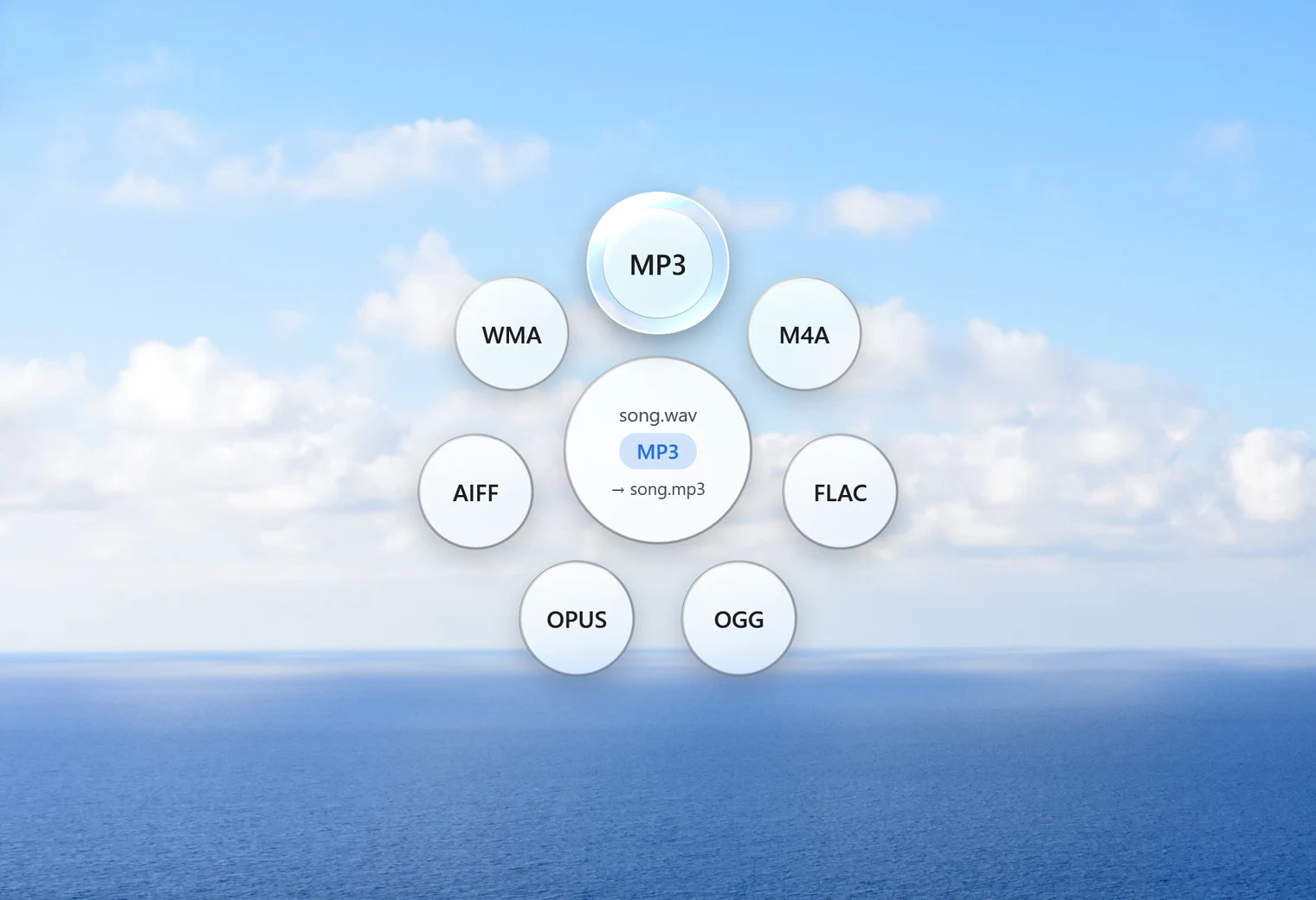
- Tap Shift. Santra's Convert orbit opens under your cursor.
- Drop it on MP3.
The MP3 appears next to the WAV with the same name. The WAV is kept untouched, so you still have the full-quality master. If a file with the new name already exists, Santra calls the new one "name (2).mp3" instead of replacing anything.
Recording sessions often leave a folder full of takes. Select them all (Ctrl + A), drag them together and drop once on MP3; each take gets its own MP3.
What about 320 kbps?
Many people search for "WAV to MP3 320 kbps" because 320 is the highest fixed MP3 bitrate. Santra doesn't ask you to pick a number. It uses a high-quality variable bitrate setting (LAME quality 2): the encoder spends more data on busy, detailed passages and less on silence and simple sounds. For speech and most music that sounds the same as a high fixed bitrate while keeping the file smaller.
Honestly put: MP3 is lossy, so some detail from the WAV is gone for good. At this quality most people can't hear the difference in normal listening. If you'll keep editing the recording, keep working from the WAV and make MP3s only for sharing. If you need a smaller file that loses nothing at all, choose FLAC in the same orbit instead.
Other formats in the same orbit
MP3 is the safe choice when you don't know what the listener uses. The Convert orbit for a WAV file also offers:
- FLAC: smaller than WAV but lossless, ideal for archiving recordings.
- M4A: efficient compressed audio that Apple devices handle well.
- OGG and OPUS: modern compressed formats some apps and games prefer.
- AIFF and WMA: for software that asks for those specifically.
Polish the recording before you share it
Santra's Tools orbit (drag the file and tap Alt) has two tools that suit recordings:
- Trim keeps one part of the recording, with a waveform to show where the talking or music starts and stops.
- Normalize evens out the loudness so a quiet recording isn't hard to hear. It saves in the same format.
Trim and normalise the WAV first, then convert to MP3, and you'll only compress once.
Other ways to convert WAV to MP3
- Audacity: free, and the obvious choice if you also want to edit, cut noise or add effects. Export as MP3 when done.
- VLC: its Convert/Save option can turn audio into MP3, one file at a time.
- Online converters: fine for one short clip, but WAV files are large to upload, and recordings of people talking are often private.
Santra is the fastest when you have several recordings to turn into MP3: one drop, nothing to set up, nothing uploaded.