Why send a spreadsheet as a PDF
A spreadsheet is a working file. Send it as XLSX and the other person may see different fonts, a missing sheet, or numbers they can accidentally change. A PDF is a finished copy: it looks the same on every screen and nobody edits your figures by mistake. That's why invoices, budgets, timesheets and price lists usually travel as PDFs.
How to convert Excel to PDF with Santra
- Find the workbook in File Explorer:
.xlsx,.xls,.xlsm,.csvor.tsv. - Start dragging it, and keep holding the mouse button.
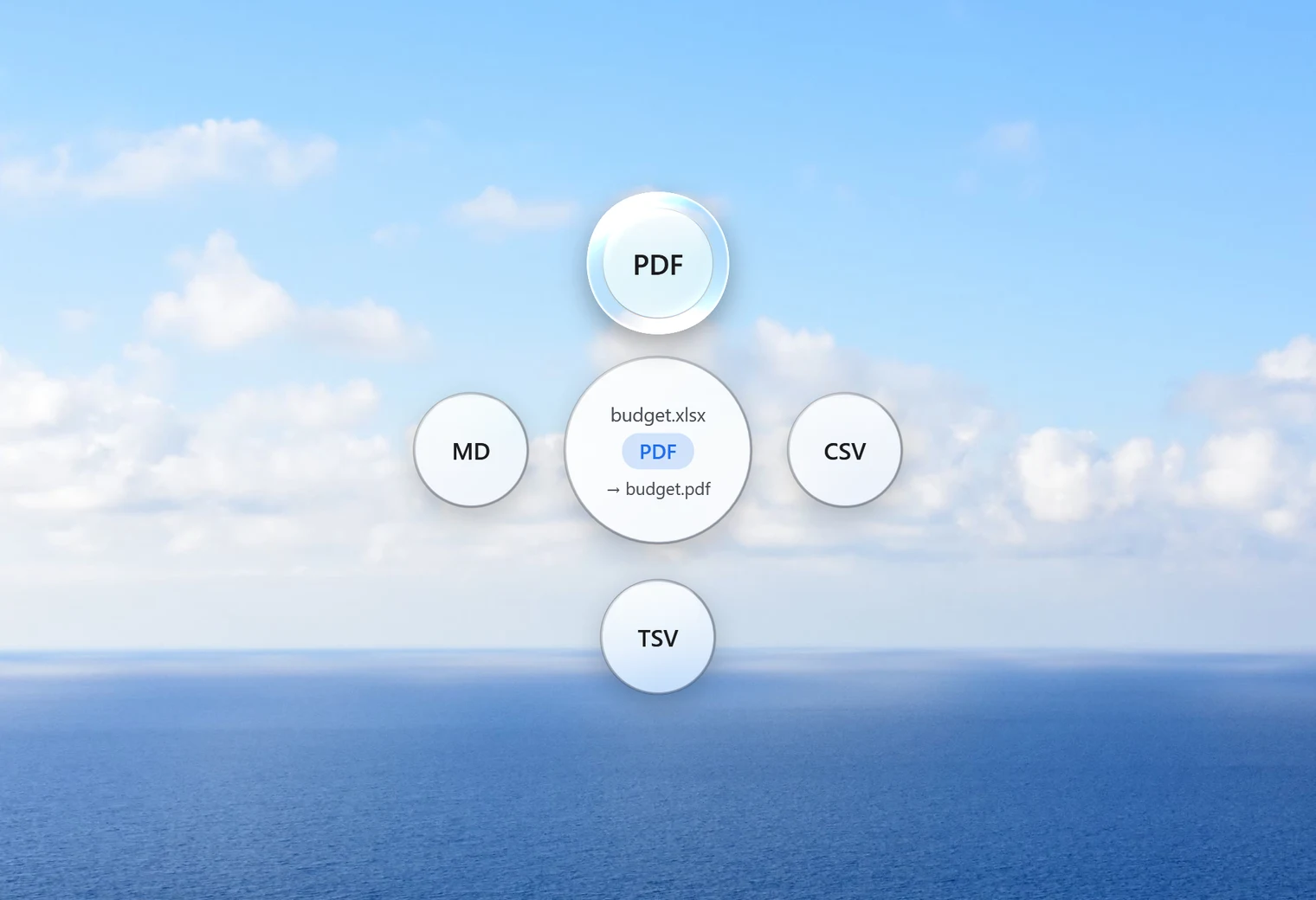
- Tap Shift. Santra's Convert orbit opens under your cursor.
- Drop it on PDF.
budget.xlsx becomes budget.pdf in the same folder. The spreadsheet itself is never changed, and an existing PDF with the same name is kept: the new one is saved as "budget (2).pdf".
No Excel needed
Santra reads spreadsheets itself, so it works on PCs without Microsoft Office. That's handy on a new laptop, a family PC, or when someone sends you a spreadsheet you just need to print or forward.
A whole folder of invoices at once
Month-end often means a pile of spreadsheets that all need to be PDFs. Select them all, drag them together, tap Shift and drop them on PDF. Santra converts each one and shows its progress in a small notification, so you can carry on with something else.
Other things the same orbit can do with a spreadsheet
- CSV or TSV: handy for importing into other programs. These formats hold one sheet only, so Santra saves the first sheet and tells you so.
- XLSX: turns an old
.xlsor a CSV into a modern Excel workbook. - MD (Markdown): one table per sheet, useful for notes apps and documentation.
Spreadsheets you might convert
- Invoices and quotes: customers get a tidy file that opens anywhere and can't be edited by mistake.
- Budgets and reports: share the figures without sharing your formulas and working sheets.
- Timesheets and rotas: print-ready copies for a noticeboard or a manager.
- CSV exports from a bank, shop or app: turn a raw export into something readable before you file it.
Once you have the PDFs, the Tools orbit can take them further: merge a month of invoices into one file, or lock a PDF with a password before emailing anything private.
Before you convert: a quick check
A PDF shows what the workbook holds, so it's worth a ten-second look at the spreadsheet first. Hide any helper columns you don't want people to see, and delete test sheets you forgot about. Then convert, open the PDF and check it once before sending. If something looks off, fix the spreadsheet and drop it again; the new PDF won't overwrite the old one.
Other ways to turn Excel into a PDF
- Excel itself: File, Save as, PDF. The best choice if you have Excel open anyway, one workbook at a time.
- Print to PDF: print the sheet and choose Microsoft Print to PDF as the printer.
- Online converters: fine for harmless data, but your spreadsheet is uploaded first. Budgets, salaries and customer lists are better kept on your own PC.
Santra fits best when you don't have Excel, or when you have a batch of files to turn into PDFs in one go. It runs on Windows 10 and 11.