Why MOV files cause trouble
MOV is Apple's video format. iPhones, many cameras and screen recorders on a Mac save videos as .mov. Windows can play many of them, but plenty of websites, upload forms, video editors and TVs ask for MP4 instead. Converting MOV to MP4 is the usual fix.
How to convert MOV to MP4 with Santra
- Find the MOV file in File Explorer, or wherever you copied it from your phone.
- Start dragging it and keep holding the mouse button.
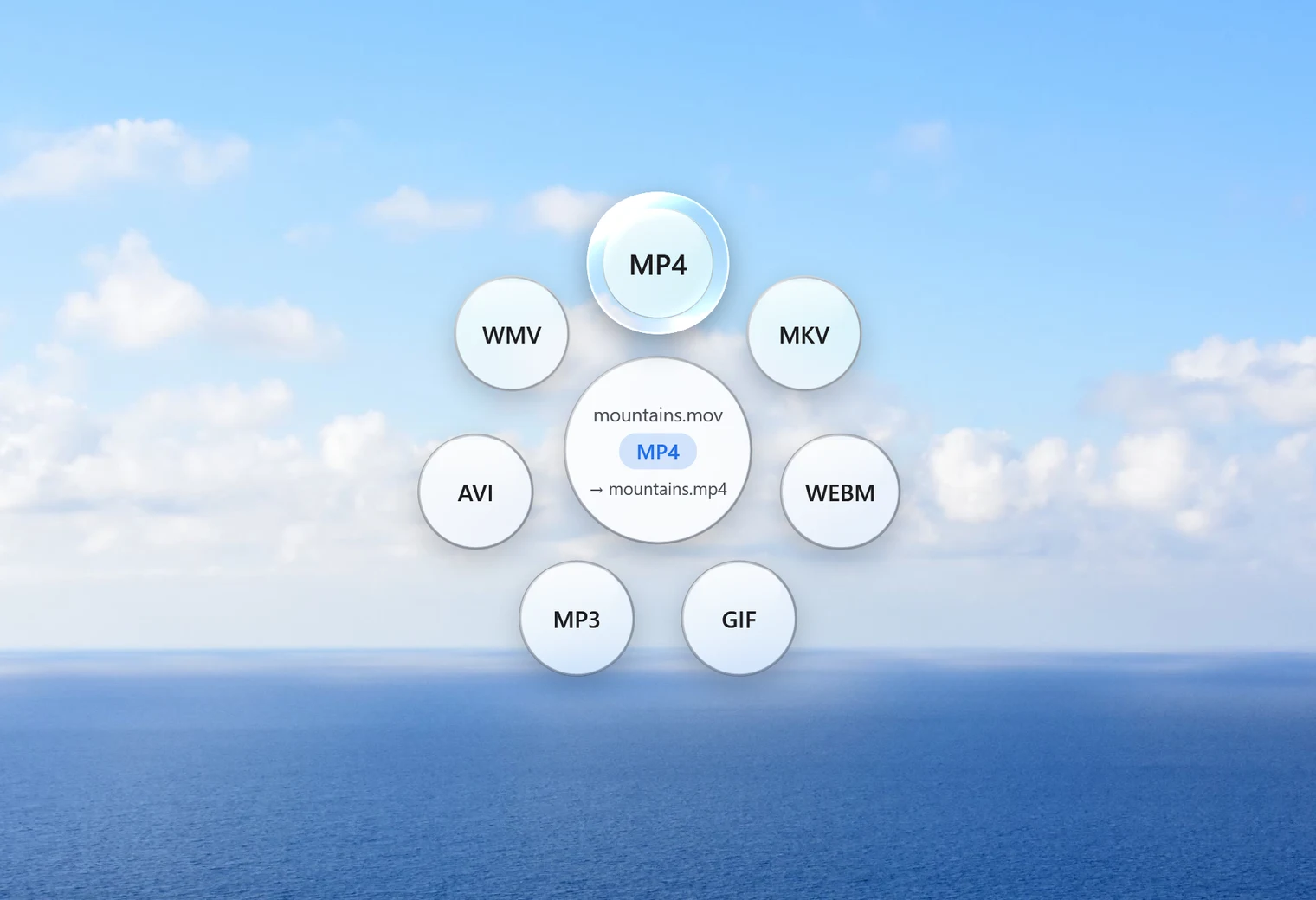
- Tap Shift. Santra's Convert orbit opens under your cursor.
- Drop the file on MP4.
A small notification shows the progress, with a Cancel button. The MP4 appears next to the original with the same name. The MOV stays as it was, and an existing MP4 with that name is never overwritten: the new one becomes "name (2).mp4".
Why it's often instant: copying instead of converting
A video file is like a box (MOV, MP4) with the actual picture and sound packed inside, each in its own format. MOV and MP4 boxes can hold the same kinds of video. So when the picture inside is H.264 or HEVC and the sound is AAC, MP3, ALAC or AC3, Santra doesn't re-encode anything: it simply moves the contents into an MP4 box.
That's fast and loses nothing. In our test, a 40-second 1080p MOV became an MP4 in under a second. Most iPhone videos fit this case.
If the video inside uses some other format, Santra re-encodes it to H.264 with AAC sound, using Windows' own built-in video encoder. That takes longer, roughly in proportion to the length of the video, and the progress bar shows how far it's got.
A note on iPhone "High Efficiency" videos
Newer iPhones often record in HEVC (also called H.265, or "High Efficiency" in the camera settings). Santra copies HEVC video into the MP4 as HEVC; it doesn't change it to H.264. That keeps full quality and is quick, but some older players and PCs need Microsoft's HEVC extension to play HEVC video. If a program can't open the MP4, that's the likely reason.
Convert many MOV files at once
Select all the MOV files (Ctrl + A selects everything in a folder), drag them together, tap Shift and drop them on MP4. Each becomes its own MP4. This is handy after copying a whole holiday's worth of videos off a phone.
Need the MP4 smaller, for email or a chat app?
Converting MOV to MP4 keeps the video about the same size. Phone videos are big, so if you need to send one, use Compress video from the Tools orbit (drag the file and tap Alt). Its "Smaller file" setting goes up to 720p, which suits messages and email, and it shows a size estimate before you start. In our test, a 31 MB 1080p clip became 5 MB.
Other ways to convert MOV to MP4
- HandBrake: free and powerful, with lots of settings. It always re-encodes, so it's slower than a straight copy.
- VLC: its Convert/Save option can make MP4 files. It works, but the menus aren't obvious.
- Clipchamp or the Photos app: open the video, then export it. Good if you want to edit it anyway.
- Online converters: the video has to be uploaded first, which is slow for long clips and not great for family videos.
Santra is the quick option when you just want MP4 files: one drop, nothing uploaded, many files at once, on Windows 10 and 11.