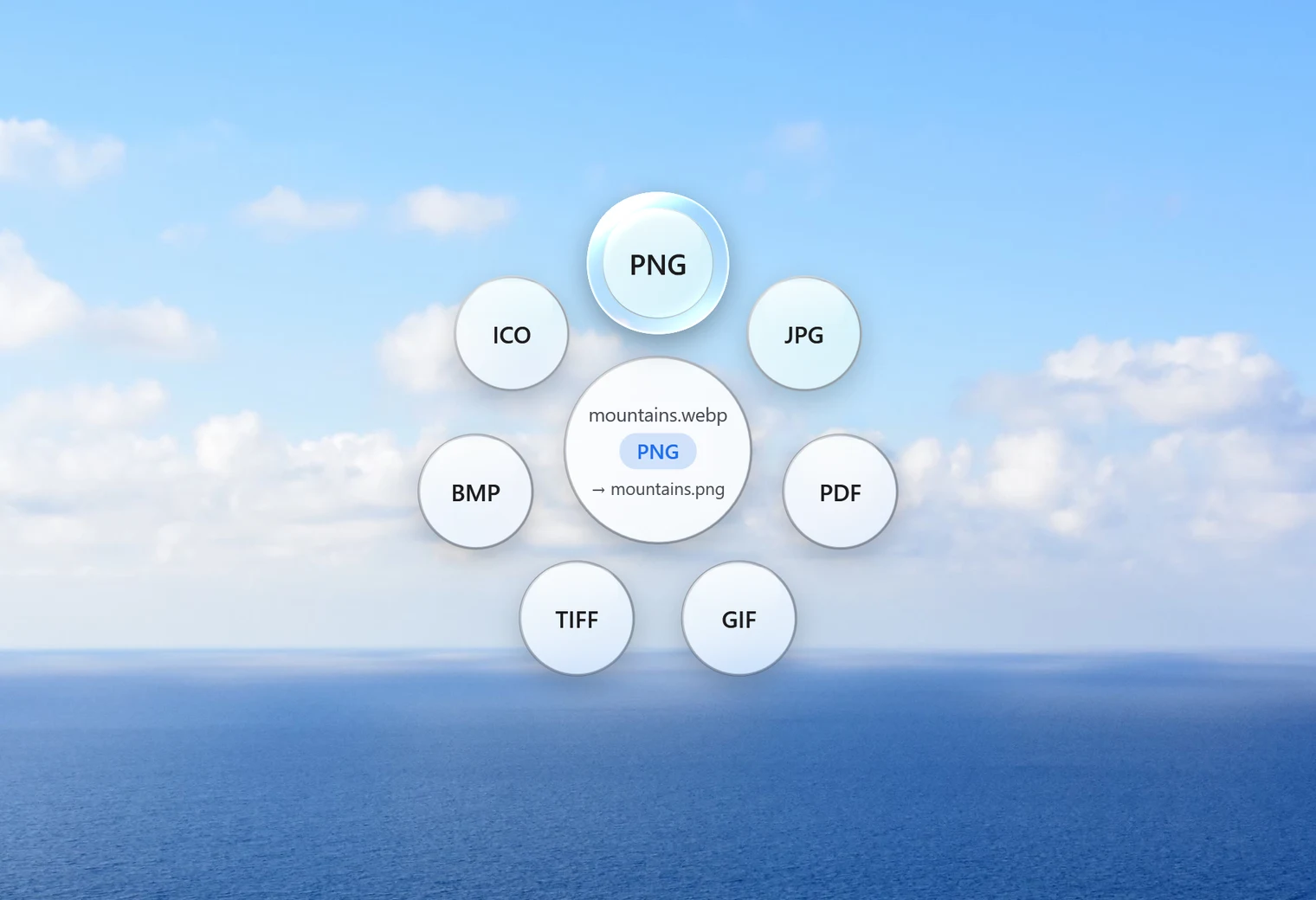
PNG is the safe choice when you convert WebP for editing, design work or anything with a see-through background. Logos, icons, stickers and screenshots all keep their transparent areas in a PNG. This page shows how to convert WebP to PNG on Windows in one drag, and what to expect from the result.
WebP to PNG or WebP to JPG?
Both are common, and the right one depends on the picture:
- Choose PNG for logos, icons, graphics with text, screenshots and anything with a transparent background. PNG keeps every pixel exactly, and it keeps transparency.
- Choose JPG for ordinary photos you want to send, print or upload. A JPG of a photo is much smaller than a PNG of the same photo. See WebP to JPG.
If you're still unsure, our guide to WebP vs JPG vs PNG goes through the differences in plain words.
How to convert WebP to PNG with Santra
- Find the WebP file in File Explorer or on your desktop.
- Start dragging it and keep holding the mouse button.
- Tap Shift. The Convert orbit opens under your cursor.
- Drop the file on PNG.
The PNG appears next to the original with the same name. The WebP is never changed. If a PNG with that name is already there, Santra doesn't overwrite it: in our test, converting logo.webp when a logo.png already existed saved the new file as logo (2).png.
Where the PNG files are saved
By default each PNG lands right beside its WebP, so you never have to hunt for it. If you'd rather collect everything in one place, you can choose a fixed output folder in Santra's Settings instead. Either way, the original WebP files are left alone, and Santra never overwrites a file that's already there.
Common reasons to convert WebP to PNG
- An image editor, slide app or older program won't open WebP files.
- You downloaded a logo or icon and need it with its transparent background intact.
- You want a lossless copy to edit and save repeatedly without it degrading.
Convert a batch of WebP files to PNG
Select several WebP files (hold Ctrl and click, or press Ctrl + A for everything in the folder), drag them together, tap Shift and drop them on PNG. Each one becomes its own PNG, and a small notification shows the progress. Santra works on the files you select, not on a folder you drop, so open the folder first.
Does WebP to PNG keep transparency and quality?
- Transparency: yes. In our test, a logo on a transparent background stayed transparent in the PNG.
- Quality: PNG is lossless, so the converted picture looks exactly like the WebP did. It can't add detail that wasn't there, though: a WebP that was already compressed by a website keeps the same small flaws.
- Size in pixels: width and height stay the same. Nothing is resized.
- Animated WebP: only the first frame is converted, so you get a still PNG.
Why is my PNG so much bigger than the WebP?
That's normal. WebP squeezes pictures very hard, and PNG stores every pixel without throwing anything away. A photo saved as PNG can easily be several times larger than the same photo as WebP or JPG. For graphics with flat colours the difference is smaller. If the size matters more than perfect detail, convert to JPG, or use Santra's Compress tool afterwards (for a PNG, only resizing makes it smaller).
Other ways to convert WebP to PNG
- Paint: open the WebP, then File, Save as, PNG picture. Fine for one file, slow for twenty.
- Photos: can save a copy in another format, one picture at a time.
- Online converters: convenient, but each picture is uploaded to a server you don't control. Think twice with private images.
Santra is built for the times you'd otherwise repeat the same steps over and over: one drag, any number of files, all on your own PC. It's for Windows 10 and 11 only.