Why share slides as a PDF
A presentation file only looks right on a computer with the same fonts and a program that opens it. A PDF opens on any phone, tablet or laptop, is easy to print as handouts, and nobody can rearrange your slides by accident. Teachers, students and anyone sending a deck to a client usually want the PDF.
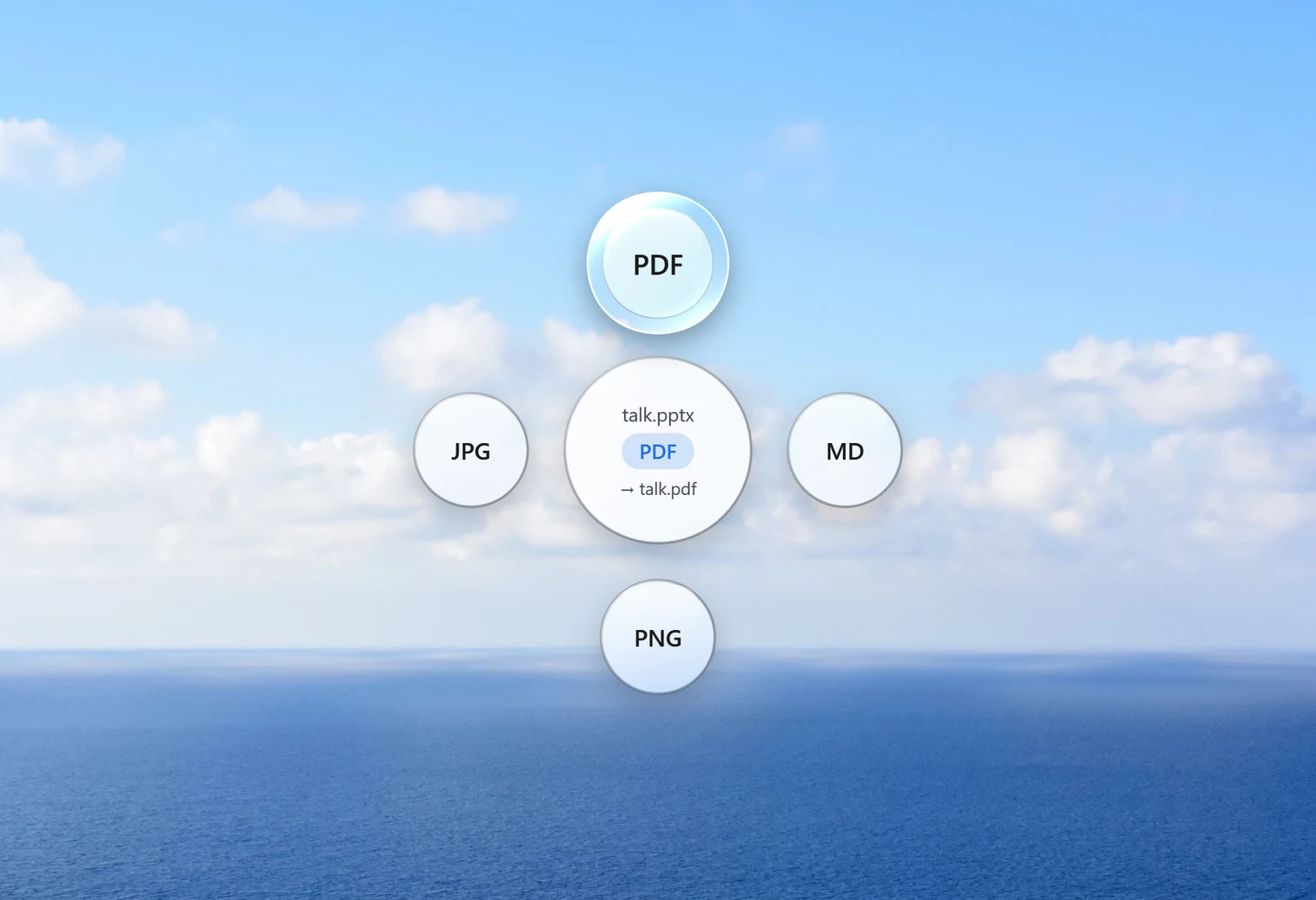
How to convert PowerPoint to PDF with Santra
- Find the
.pptxfile in File Explorer. - Start dragging it, and keep holding the mouse button.
- Tap Shift to open Santra's Convert orbit.
- Drop it on PDF.
talk.pptx becomes talk.pdf beside it. Your presentation stays exactly as it was, and an existing PDF with the same name is never overwritten.
Slides as pictures instead
Sometimes you want each slide as an image, to post on social media, drop into a chat or use in a video. The same orbit offers PNG and JPG for presentations. Santra makes a folder next to the file, such as talk slides, with Slide 1.jpg, Slide 2.jpg and so on.
| Drop it on | You get |
|---|---|
| One file with every slide: for sharing, printing and email | |
| JPG or PNG | A folder with one picture per slide |
| MD | The words of each slide, with speaker notes, as a Markdown text file |
No PowerPoint needed
Santra opens PPTX files itself, so it works on PCs without Microsoft Office. That's useful when a colleague sends you a deck you only need to print or forward.
One limit: old .ppt files
Santra handles the modern .pptx format only. Presentations from very old versions of PowerPoint end in .ppt, and Santra can't open those. If you have PowerPoint, open the old file and save it as PPTX first.
Tips for a good-looking PDF
- Check the last slide: hidden "notes to self" slides and leftover drafts end up in the PDF too, so tidy the deck before you convert.
- Handouts by email: decks full of photos can make big PDFs. If the file is too large to attach, run it through Compress PDF afterwards; pictures shrink while text stays sharp.
- One file for a whole course: convert each deck to PDF, then merge them in the order you want.
- Slide pictures for social media: JPG files are smaller and upload faster; choose PNG when slides are mostly text and diagrams.
Many presentations at once
Select all the decks for a course or a project, drag them together, tap Shift and drop them on PDF. Each becomes its own PDF, and a small notification shows the progress.
Other ways to convert PowerPoint to PDF
- PowerPoint itself: File, Export, Create PDF. Ideal if you're already editing the deck; one file at a time.
- Print to PDF: print the presentation and pick Microsoft Print to PDF.
- Online converters: convenient, but the presentation is uploaded first. Unreleased plans, pitch decks and school work are safer on your own PC.
Santra is the quick way when you don't have PowerPoint, want slide pictures, or have several decks to convert. It runs on Windows 10 and 11.