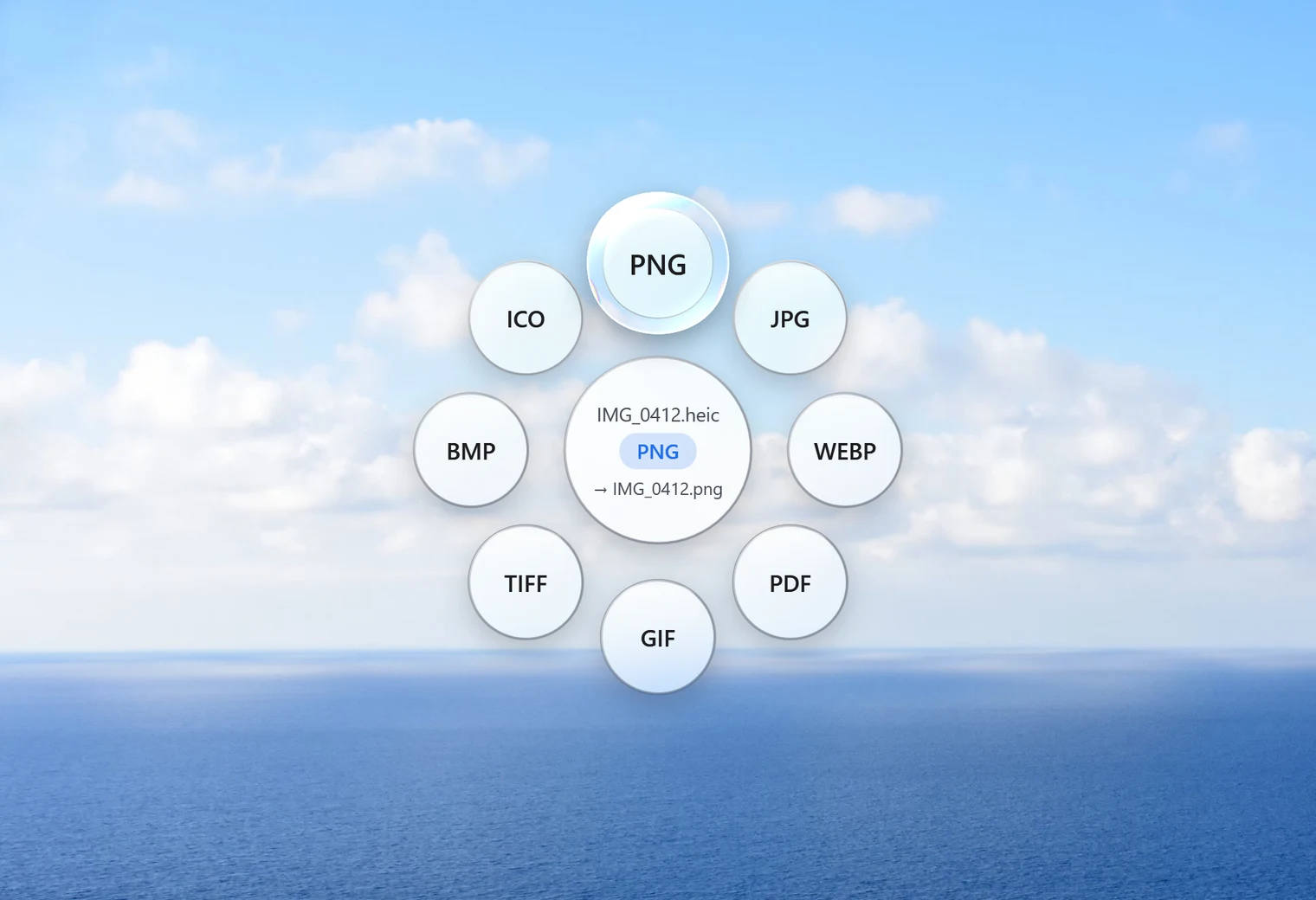
When PNG is the right choice for a HEIC photo
HEIC is the format iPhones use for photos. Most people who convert them want JPG, because JPG files are smaller and work everywhere. PNG is the better pick in a few cases:
- You're going to edit the picture further and don't want to lose any detail along the way. PNG is lossless.
- You need a screenshot or graphic from your phone to stay perfectly sharp, with crisp text and edges.
- A program or website asks for PNG specifically.
For ordinary photos you're going to share or print, JPG is usually better: a PNG of a photo is several times larger and looks the same.
How to convert HEIC to PNG with Santra
- Find the HEIC photo in File Explorer.
- Start dragging it, and keep holding the mouse button.
- Tap Shift to open Santra's Convert orbit.
- Drop it on PNG.
IMG_0412.heic becomes IMG_0412.png next to it. The original is never changed or overwritten, and an existing PNG with the same name is kept: the new one is called "IMG_0412 (2).png". To convert many photos, select them all, drag them together and drop them on PNG once.
No HEVC extension needed
Windows can only show HEIC photos with two Microsoft Store add-ons: HEIF Image Extensions (free) and HEVC Video Extensions (about US$0.99 unless your PC came with it). Santra doesn't need them. When Windows can't read the photo, Santra decodes it itself with the video library it already includes, entirely on your PC.
What the PNG keeps, and what it doesn't
- Every pixel: PNG is lossless, so nothing is lost in the conversion and the size in pixels stays the same.
- File size: expect a much bigger file. In our test, a 904 KB JPG photo became a PNG of about 2.9 MB, and HEIC is even smaller than JPG to start with.
- Orientation: photos taken sideways are saved upright.
- Hidden details: the date taken, camera details and GPS location are not carried over. Handy for privacy; keep the HEIC if you need them.
Other ways to convert HEIC to PNG
- Photos or Paint, with both extensions installed: open the photo and use Save as, PNG. One file at a time.
- Image editors such as GIMP can open HEIC and export PNG, with more options and more steps.
- Online converters: convenient, but your photos are uploaded to a stranger's server first.
Santra is quickest for a batch of photos, with no extensions to buy and nothing uploaded. It runs on Windows 10 and 11.