Does Windows have a built-in way to merge PDFs?
Not really. Windows can open and print PDFs, but there's no button to combine several into one. People usually end up on an online "merge PDF" site, or install a separate PDF program. Santra adds the missing step to File Explorer: select the PDFs, drag, and drop.
How to merge PDFs with Santra
- In File Explorer, select the PDFs you want to combine (hold Ctrl and click each one).
- Start dragging them, and keep holding the mouse button.
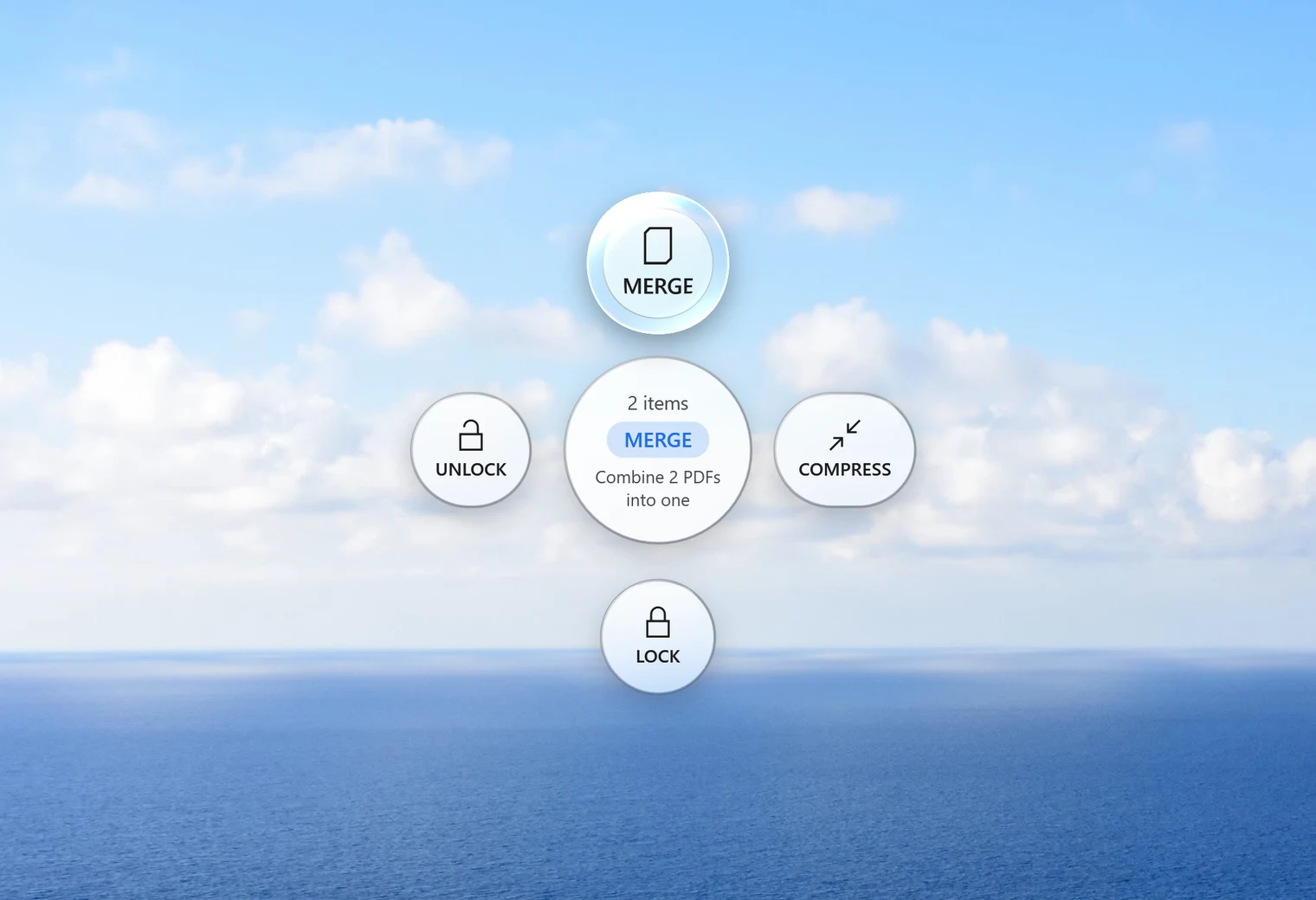
- Tap Alt. Santra's Tools orbit opens. With two or more PDFs it offers Merge.
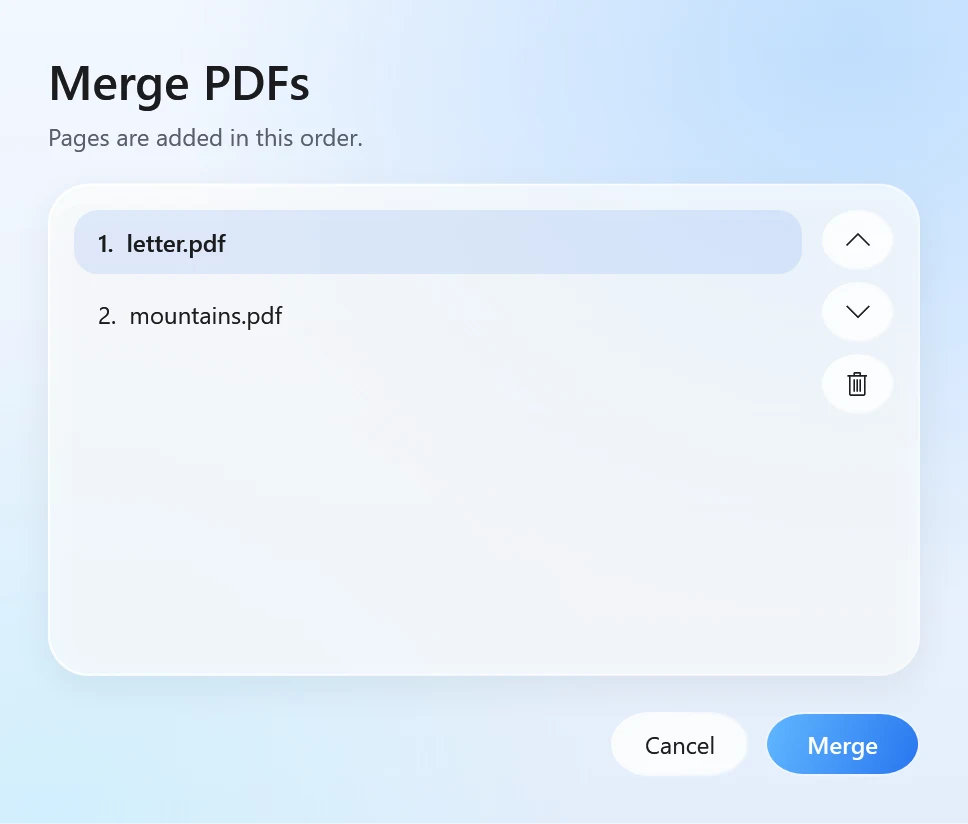
- Drop the files on Merge. A small window lists them.
- Move files up or down to set the order, leave one out if you changed your mind, and click Merge.
The pages are added in the order you chose. The new PDF is saved next to the first file and named after it, for example report merged.pdf. The original PDFs aren't changed, and nothing is ever overwritten.
Things worth knowing
- Any number of files: two or more PDFs can be merged in one go.
- Password-protected PDFs must be unlocked first. In our test, trying to merge a locked PDF stopped with a clear message asking for the password. If you know it, use Unlock in the same orbit, then merge the unlocked copy.
- Pictures and Word files: Merge works on PDFs. To add photos, first turn them into a PDF with JPG to PDF; for a Word document, use Word to PDF. Then merge the results.
- Too big to email afterwards? Drop the merged file on Compress in the same orbit.
Tips for a tidy merged PDF
- Name files in order first. Starting the names with numbers (
01 cover.pdf,02 report.pdf) makes them line up in File Explorer, so the right order is easy to see and set in the window. - The first file names the result. Put the main document first and the merged PDF is named after it.
- Lock it last. If the merged PDF holds private details, drop it on Lock afterwards to save a copy that needs a password.
- Check the page count. Open the merged file once before sending: it should have the pages of all the files you kept in the list.
Other ways to merge PDFs
- Online merge tools: free and familiar, but every document is uploaded to someone else's server. Fine for a public flyer, less so for contracts, payslips or medical letters.
- PDFsam Basic: a free, open-source desktop program that merges and splits PDFs offline. It has more options than Santra, and you open it as a separate app.
- Adobe Acrobat: the paid version combines files and much more. The free Acrobat Reader can't merge.
Santra is the quick option when you merge PDFs now and then and don't want another program open: select, drag, drop, done, and nothing leaves your PC. It works only on Windows 10 and 11.